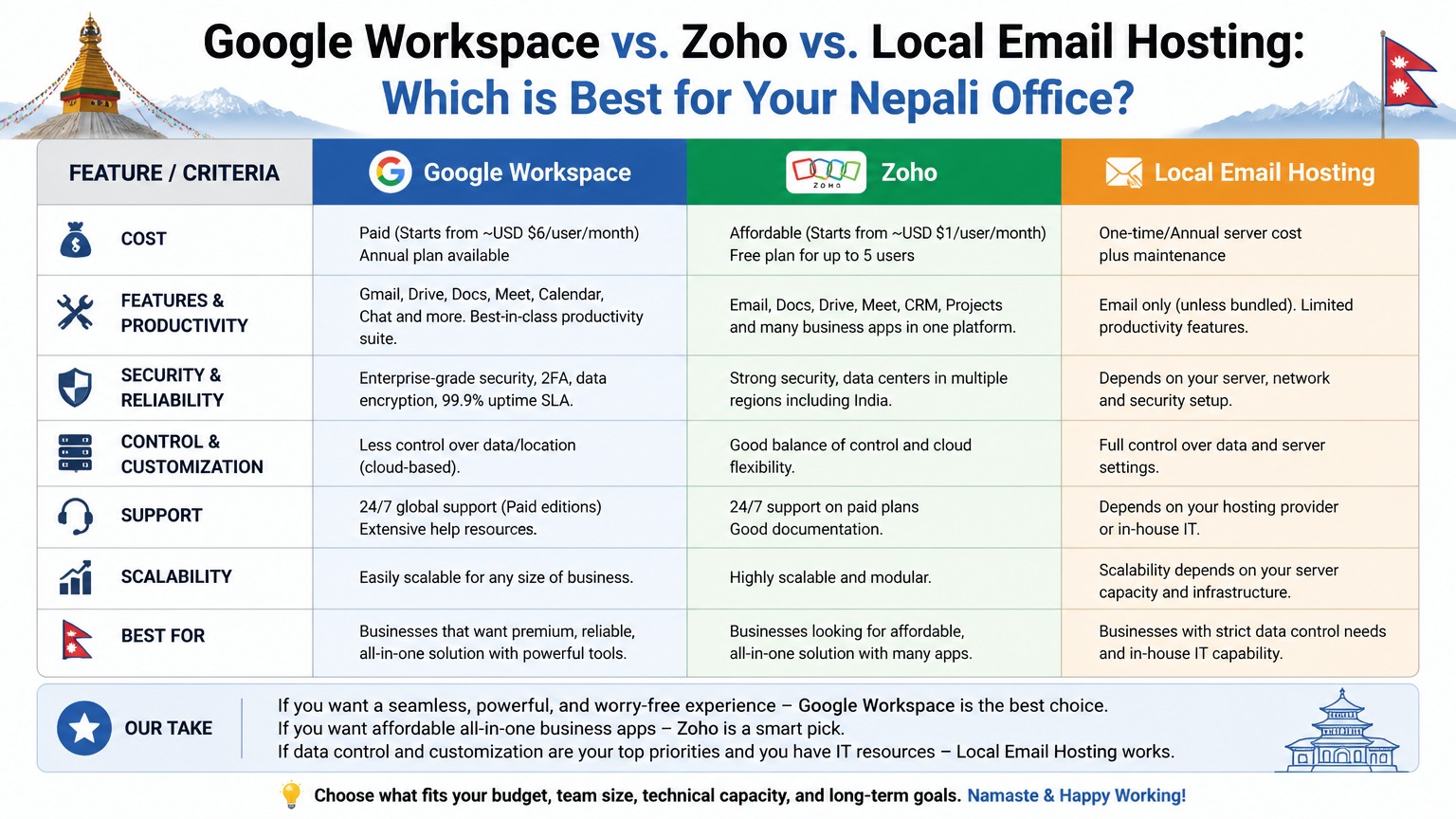

- Migrating from Zoho or cPanel Webmail to Google Workspace does not have to cause downtime or data loss.
- This step-by-step guide covers the entire process for Nepal businesses.
The Ultimate Guide to Email Migration from Zoho / Webmail to Google Workspace: Step-by-Step
Business communication relies entirely on the reliability of your email infrastructure. When emails fail to deliver, bounce back, or land in the recipient's spam folder, it directly impacts your company's revenue, reputation, and operational efficiency. In this comprehensive technical guide, we will dissect the intricacies of Email Migration from Zoho / Webmail to Google Workspace: Step-by-Step and provide actionable, enterprise-grade solutions to ensure seamless communication.
In 2026, email providers like Google Workspace, Zoho Mail, and Office 365 have implemented incredibly strict anti-spam and authentication protocols. Simply setting up an inbox and hitting "send" is no longer sufficient. If your domain lacks the proper cryptographic signatures, your emails will be categorically rejected by modern mail servers.
1. Understanding the Root Causes of Email Delivery Failures
When diagnosing issues related to Email Migration from Zoho / Webmail to Google Workspace: Step-by-Step, we must first understand the fundamental pillars of email deliverability. Poor deliverability is rarely a platform issue; it is almost always a DNS configuration issue. If you are experiencing problems, the first step is to audit your domain's DNS zone file.
- IP Reputation: If you are using a shared hosting environment to send emails, your sender reputation is tied to the IP address shared by hundreds of other users. If one user sends spam, the entire IP may be blacklisted, causing your legitimate business emails to bounce.
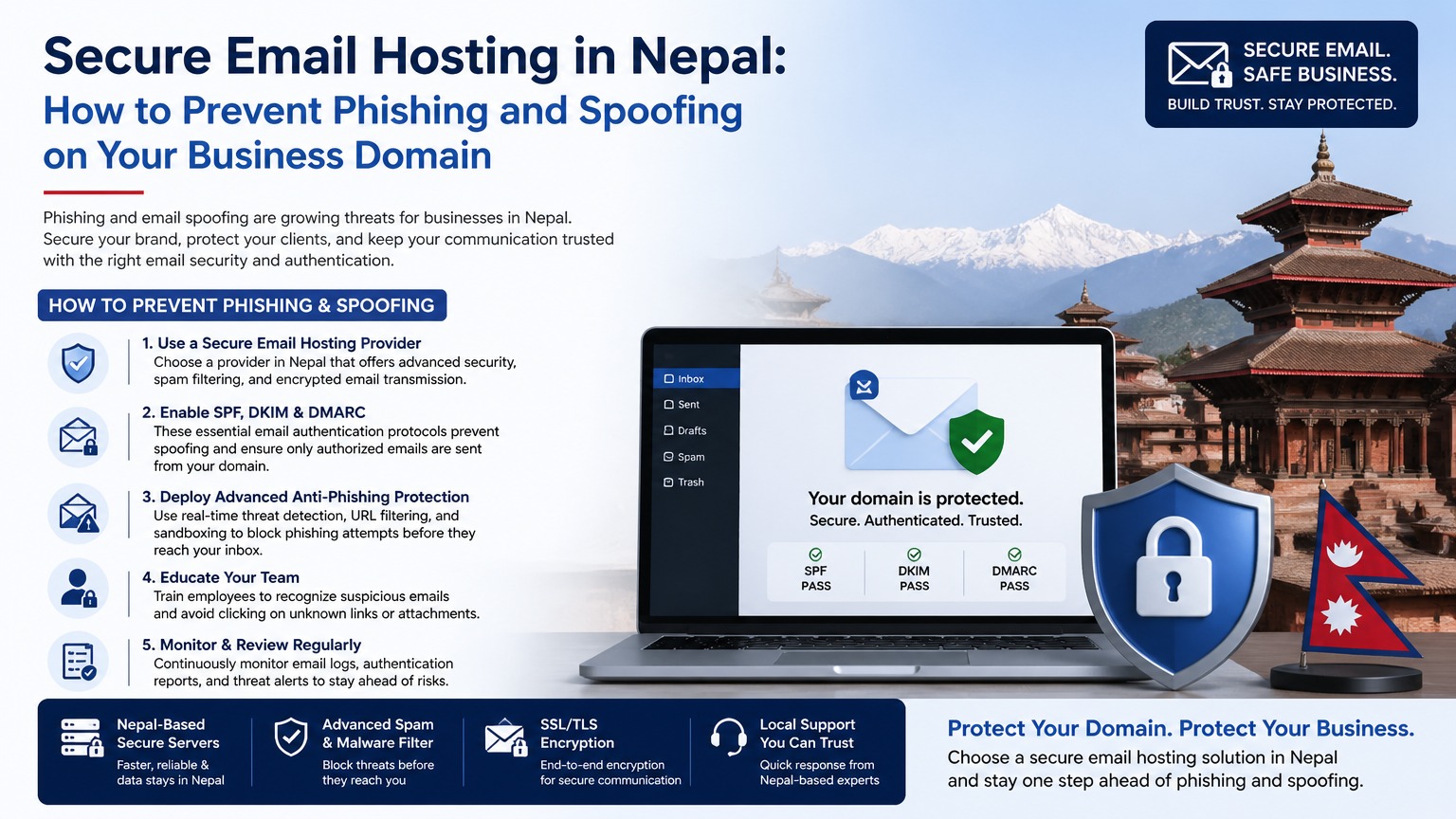
- Missing Authentication Protocols: Modern mail servers verify the identity of the sender using SPF, DKIM, and DMARC. Without these three protocols explicitly defined in your DNS, your emails will be flagged as suspicious.
- Content Filters: Using overly promotional language, broken HTML, or suspicious attachments can trigger heuristic spam filters, regardless of your domain's reputation.
2. The Holy Trinity of Email Authentication: SPF, DKIM, and DMARC
To definitively resolve problems associated with email migration nepal, you must properly configure the following DNS records. This proves to receiving servers that you are the authorized sender for your domain.
A. Sender Policy Framework (SPF)
An SPF record is a TXT record in your DNS that lists all the IP addresses and services (like Zoho, Google, or your web server) that are authorized to send email on behalf of your domain. A proper SPF record prevents attackers from spoofing your domain name.
Example SPF Record:
v=spf1 include:_spf.google.com include:zoho.com ~all
B. DomainKeys Identified Mail (DKIM)
DKIM adds a cryptographic signature to every email you send. The receiving server uses your domain's public DKIM key (published in your DNS) to verify the signature. If the signature matches, it proves the email was not tampered with in transit. You must generate the DKIM key inside your email provider's admin console and add it as a TXT record to your DNS.
C. Domain-based Message Authentication, Reporting, and Conformance (DMARC)
DMARC ties SPF and DKIM together. It provides instructions to the receiving mail server on what to do if an email fails SPF or DKIM checks. It can be set to 'none' (monitoring mode), 'quarantine' (send to spam), or 'reject' (block entirely). Implementing a strict DMARC policy is the ultimate defense against domain spoofing.
Example DMARC Record:
v=DMARC1; p=quarantine; rua=mailto:admin@yourdomain.com;
3. Troubleshooting Specific email migration nepal Issues
If you have verified your DNS records and are still facing challenges, consider the following technical troubleshooting steps:
- Check Global Blacklists: Use tools like MXToolbox to check if your domain or server IP address is listed on major blacklists like Spamhaus or Barracuda. If listed, you must follow their specific delisting procedures.
- Review Mail Server Logs: If you manage your own server, tail the Exim or Postfix logs (
/var/log/exim_mainlogor/var/log/maillog) to see the exact SMTP error codes returned by the receiving server. - Warm Up New Domains: If your domain is brand new, sending hundreds of emails on day one will trigger spam filters. You must gradually "warm up" the domain by sending a few emails per day and slowly increasing the volume over several weeks.
- Monitor Bounce Rates: A high bounce rate (sending emails to invalid addresses) destroys your sender reputation. Regularly clean your mailing lists to remove inactive or invalid contacts.
4. When to Consider Dedicated Email Hosting
If your business relies on sending high volumes of transactional emails, invoices, or marketing campaigns, standard cPanel email or even basic Google Workspace accounts may not suffice due to their hourly sending limits. In such cases, migrating to a dedicated email delivery service (like SendGrid, Mailgun, or Amazon SES) or provisioning a dedicated SMTP server is the necessary next step.
Frequently Asked Questions (FAQ)
Why are my business emails suddenly going to the spam folder?
This is usually caused by missing or misconfigured SPF, DKIM, or DMARC records. It can also happen if your server's IP address was recently blacklisted due to another user's spam activity on a shared network.
How can I test my email deliverability score?
You can use free online tools like Mail-Tester.com. You send an email to a generated testing address, and the tool provides a comprehensive score analyzing your DNS records, IP reputation, and message formatting.
In summary, successfully navigating Email Migration from Zoho / Webmail to Google Workspace: Step-by-Step requires a meticulous approach to DNS configuration and a deep understanding of modern email authentication standards. By implementing strict SPF, DKIM, and DMARC policies, you establish absolute authority over your domain's communication channels, ensuring your critical business messages always reach the inbox. If you require expert assistance with your email infrastructure or DNS configuration, our specialized support team is ready to help.